Underused Blackboard Ultra Features: Tools Instructors Overlook
Blackboard Ultra has grown into a powerful and intuitive learning platform, but many handy features still slip under the radar. Whether it's saving time, improving communication, or streamlining course updates, some helpful tools get overlooked. Below are five features that can make teaching easier and more efficient, but many instructors haven’t explored yet.
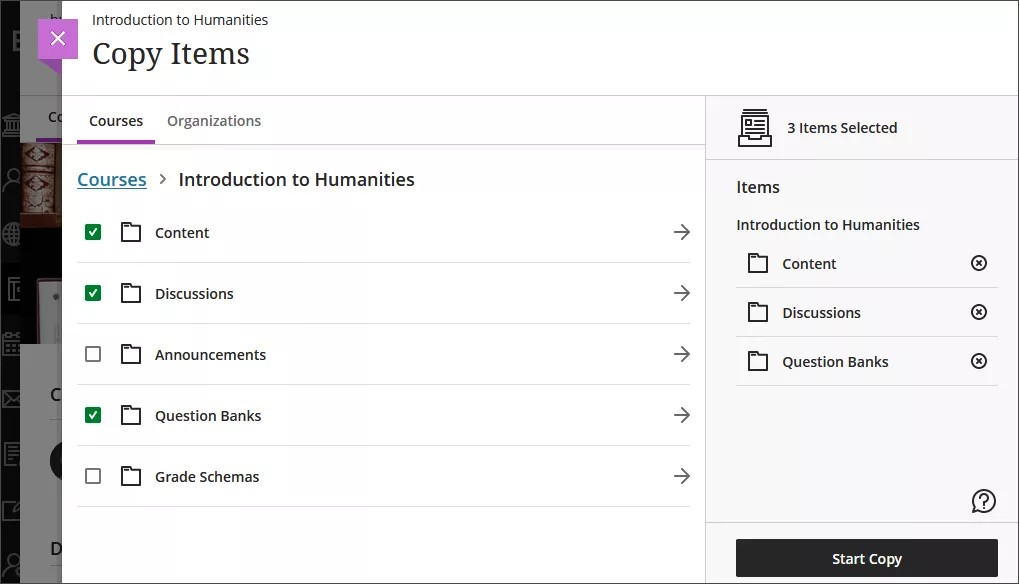
Copy Items: Bring Over Only What You Need
Instead of copying an entire course or manually rebuilding content, the Copy Items tool lets you reuse exactly what you need from other courses or previous terms.
You can grab:
- Individual assignments
- Folders
- Tests
- Rubrics
- Pages and documents
It’s efficient, gives you more control, and prevents clutter from last semester’s materials that you didn’t intend to carry over without starting from scratch.
Conversations: Discussion Where It’s Needed
If you’ve ever wished your students could discuss an assignment right next to the assignment, Conversations is made for you. This feature allows students and instructors to talk directly on content items such as assignments, documents, tests, and more with no separate discussion board needed.
Why it’s great:
- Questions stay attached to the activity they relate to
- Students can help one another without waiting for email replies
- You can quickly jump in to clarify expectations or give direction
It’s perfect for reducing inbox clutter and creating organic classroom interactions right where learning happens.
Batch Edit: Make Changes Without Repetitive Work
Ever changed a due date, grading rule, or visibility setting and realized you now have to update 27 items one by one? Batch Edit exists to save you from just that. This tool allows you to select multiple content items and apply changes all at once.
You can:
- Shift due dates after adjusting your course calendar
- Bulk-hide or bulk-show items
- Edit settings across multiple assessments
- Move groups of content together
If you’re prepping for a future semester or reorganizing content during the term, this tool is a huge time saver.
Scheduled Announcements: Communicate Automatically
Announcements are essential for nudging students, sharing updates, and reinforcing reminders but you don’t always need to send them manually. Scheduled Announcements allow you to set your message ahead of time and let Blackboard send it automatically.
Examples of what you can schedule:
- Weekly “What’s coming up?” reminders
- Mid-week check-ins
- Tips before major assignments
- Reminders before course evaluations
It’s also a great way to stay consistent without scrambling to remember every communication moment throughout the semester.
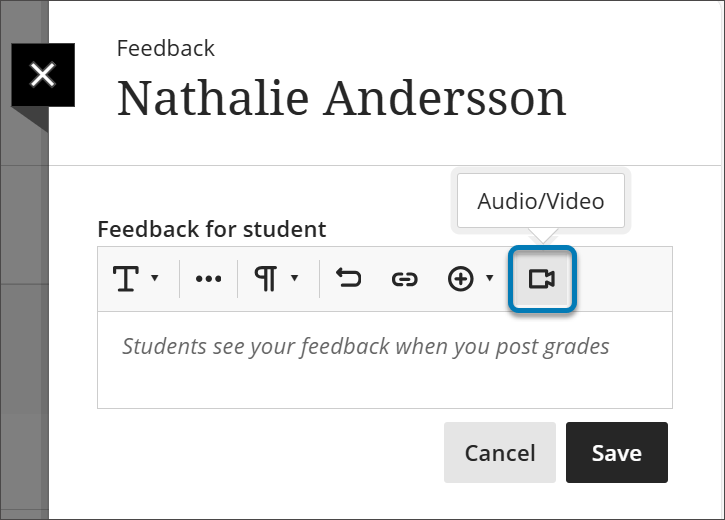
Audio/Video Feedback: Humanize Grading
Typed comments are helpful but sometimes tone and nuance get lost. Audio and video feedback options let you speak directly to your students while grading, offering:
- More personal and encouraging responses
- Clearer explanations of scoring decisions
- Support for students who prefer listening instead of reading
In many cases, providing verbal feedback can also be faster than typing, especially on long student submissions.
Wrapping Up
These features may not be flashy, but they’re powerful tools that simplify teaching, elevate communication, and help create more engaging courses. If you’ve been using Blackboard Ultra primarily for the basics, exploring one or two of these tools can make a noticeable difference in your daily workflow and in your students’ experience. Give one a try this week and see just how much smoother course management can be.