Teach and Stand Out: Creating Engaging Educational Videos
Do you remember watching Bill Nye the Science Guy, School House Rock, The Magic School Bus (one of my favorites) or one of the History Channel documentaries? Our youth was filled with flashy, entertaining science communicators that captivated us. But those programs were designed for children, so of course they were flashy and entertaining. How else would you keep their attention?
And yet, don’t we often struggle to keep our adult students engaged as well?
As higher education began to embrace digital learning, our lectures turned into videos, not realizing that the medium doesn’t work as well for keeping students focused. They are no longer in class with us, bound to their seats until we are done talking. They are at home, with our lectures competing with far more entertaining content just a few clicks away.
In contrast, modern platforms like TikTok and YouTube have reshaped our expectations with fast-paced, visually dynamic, bite-sized content designed to instantly engage. Students are used to videos that get to the point, spark curiosity, and keep them hooked from the first second. This shift in how we consume media highlights why creating engaging, contemporary video content is essential in today’s learning environment.
How Social Media Does Science Communication
I was recently introduced to a few science educators on social media, starting with the Miniminitman (Milo Rossi), an archaeology content creator. When I watched one of his videos for the first time, I was genuinely impressed as he makes complex topics engaging and easy to understand.
Not long after, I discovered Lindsay Nikole, another dynamic science communicator who creates videos about animals and evolution. I’m not trying to get you hooked on their videos, but watching even one will show you why they have developed such large and enthusiastic followings. Their shorts are an excellent way to get a quick feel for their styles.
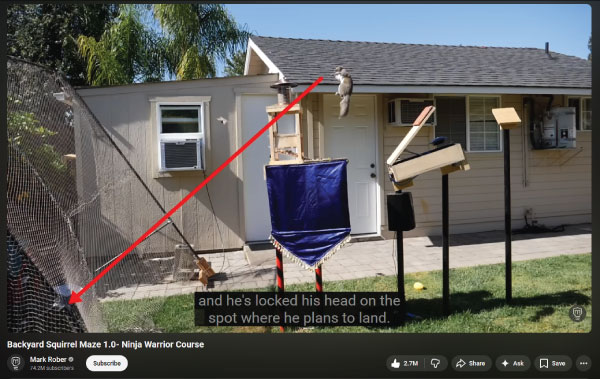
More recently, I came across Mark Rober’s series demonstrating physics concepts through cleverly designed squirrel obstacle courses. I really appreciate when educators can connect classroom content to real-life situations in meaningful ways.
When I taught forensic science, students became deeply engaged when they could apply concepts to practical, real-world scenarios that suddenly made the learning feel alive. Mark Rober has mastered this approach in his videos. You can clearly see, and understand, the science concepts as he explains the squirrels’ behavior and the engineering behind his outdoor setups.
You may also note that while all three of these creators have a notable number of Shorts (Youtube's vertically layed out short form content), they also have much longer videos that cover more complex topics similar to what you might find in a course environment.
Teach and Stand Out
Many of you may recall the familiar railway junction graphic and the memorable refrain, “Conjunction Junction, what’s your function?” from the Schoolhouse Rock series. It offered a fun, memorable way to learn, and for its time, it was an innovative approach to reviewing material. Today, however, learners need more than a catchy cartoon to support deep understanding and meaningful engagement.
Research shows that multimedia tools, such as videos enhance student engagement, motivation, and academic performance when they are aligned with sound pedagogical strategies. (Staneviciene & Zekienė, 2025) Using good videos encourage active participation, improve understanding of complex concepts, and can be effective in disciplines that require visualization, spatial reasoning, or practical skills, including engineering, healthcare, science, and language learning.
Videos also offer flexibility: students can pause, rewatch, and learn at their own pace, making the learning experience more inclusive and accessible. Ultimately, an engaging video isn’t just a teaching tool it’s an opportunity to amplify your voice, reinforce your expertise, and create a richer, more connected learning environment for every student.
As you embark on video creation for your classes, here are some questions to ask yourself:
What is the purpose of your video?
- Are you introducing yourself or your course? Keep the video short but packed with personality. Let your students know who you are and how you behave on camera. You can reinforce your teaching presence throughout other videos, but you want those instances to be brief and interspersed so they don't detract from the subject matter.
- Is it a complex topic with lots of elements to cover? Try to start the video with a strong and engaging hook, before jumping right into the subject matter. Then focus on breaking up information with engaging but relevant images and video clips, and take time occasionally to recover Audience Retention.
- Is it a specific topic that requires visuals to help explain? Keep the video short and focused, with dynamic or animated visuals to keep viewers focused on the most important information being conveyed.
- Are you giving detailed or step-by-step instructions? Use a transition or image break to separate steps, and use simple animations to highlight key locations on the screen (such as small buttons that might be easy to miss). Including timestamps in the transcript of the video can help viewers jump back to individual steps they might have found confusing.
What visuals do you need?
- Does your video focus on a specific subject? Search for both images and video clips of your subject matter. Make sure that if you find something similar but not perfectly accurate (say, an clip of one species of dolphin when your topic is about a different dolphin), you can still include it so long as you include text informing viewers of exactly how the clip is inaccurate (such as by adding text that says "this clip is of X dolphin, not Y dolphin).
- Does your video cover a broad topic? Select a few key words that fit your subject matter and use them to find stock video clips to add motion to your video. A good example for this would be agriculture as a industry: there are many stock video clips available for content creators talking about this industry. In contrast, you would struggle to find stock videos for a specific and lesser known machine or tool.
- Does your content need complex visuals, like charts or diagrams? If possible, try to animate charts, graphs, tables, or diagrams when they first appear in your video. Then, leave them on the screen for an extended period of time, so that viewers have a good chance to absorb the information as you talk about it.
Likewise, numbers and definitions benefit from being shown on screen when mentioned, though they can be presented briefly.
Creating engaging video content allows you to extend your teaching presence beyond the classroom and connect with students in meaningful, dynamic ways. Thoughtful, purposeful, and well-designed videos help humanize online and hybrid courses, giving students a sense of clarity, structure, and support as they navigate challenging material.
By using good visuals, demonstrations, and real-world examples, you can break down complex concepts into more digestible pieces boosting comprehension and sustaining attention far better than text alone.
Call The Experts
Did that all sound overwhelming? If so, don't panic! You don't have to do it alone. As Lamar University faculty and staff, you have access to our incredible Instructional Media team and their LU Online Studio.
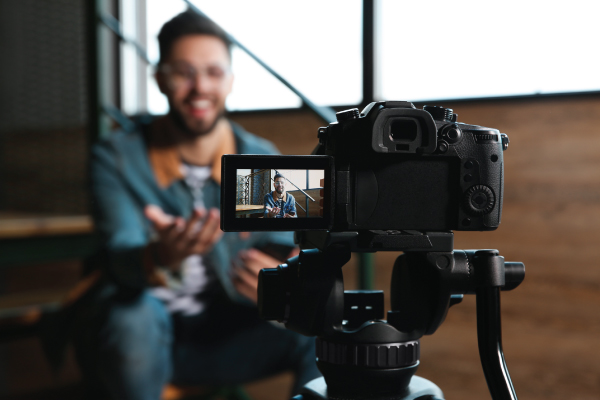
With professional cameras, microphones, and lights, the studio ensures that your video materials are high quality, but that isn't all they do to help. Email them a script ahead of time and they can use a teleprompter to guide you through the recording process. Need help finding stock video clips or building animations into your scenes? They can help with that too!
If you haven't explored what the Instructional Media team is capable of, now is certainly the time!
Follow these tips to prepare for your recording session:
- Write and thoroughly review a script (or video outline if you plan on ad libbing. If so, still practice!).
- Compile any visuals you want to include, especially subject matter specific ones.
- Note on your script what visuals should go where, and if any text should appear on screen.
- Practice, practice, practice! Not only will rehearsing make your delivery smoother, it will help you identify words or phrases that you might struggle to say out loud, allowing you to alter your script to avoid them if needed.
And finally, don't forget to keep accessibility in mind while you are preparing to record your content. It's always easier to build accessibility into your videos when creating them, as opposed to having to add them later.
The Instructional Media team can help with this as well! They will add the automatically generated captions to any video you create, and can help guide you through the process of using Yuja's new Enhanced Audio Descriptions, if those are needed.
Conclusion
The key takeaway is creating purposeful, well-designed videos can enhance your teaching when integrated with good strong content. Effective instructional videos do more than deliver information to students; they help clarify challenging concepts, reinforce key information, and provide enlightening, engaging, accessible learning experiences.
When videos are intentional in their design, aligned with learning objectives, and paired with meaningful instructional materials, they can deepen learners’ understanding, support preferred ways of learning and strengthen your course quality.
I look forward to hearing your students chant your name (Ex: Bill! Bill! Bill! Bill! Bill Nye Science Guy) and seeing you dynamically deliver content in a video to share your expertise.
References
- 1
Staneviciene, E., & Zekienė, G. (2025). The use of multimedia in the teaching and learning process of higher education: A systematic review. Sustainability, 17(19), 8859.
doi.org/10.3390/su17198859
Meet the Author
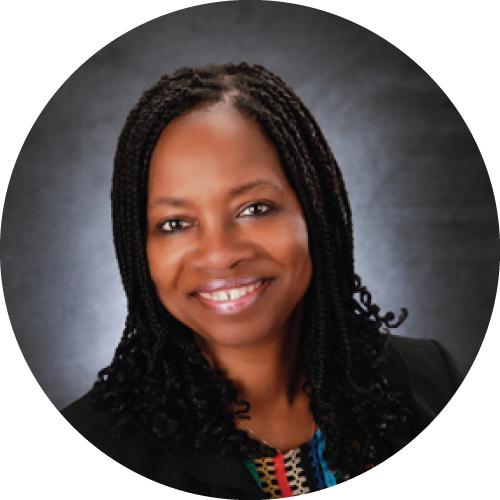
Eugenia Johnson-Whitt, Ph.D., is our Faculty Success Facilitator and is responsible for designing, developing, and delivering professional development training modules aimed at enhancing faculty teaching excellence. Since 2015, Eugenia has taught numerous undergraduate and graduate courses in the teacher preparation program and advises undergraduate adolescent and young adult students. She also has several peer-reviewed publications and has given many national/international and state presentations over her professional career.
Do you have a topic you want to write about in a blog post? Pending review, the CITL may host it here!
Email us your topic to start the process!